 Friends, plans and room toys
Glint vsKosmi
Pick Glint for an illustrated room you build, decorate and return to with friends. Pick Kosmi if your evening revolves around its shared virtual browser, watch tools or multiplayer games.




By Mario Jankovic ·
We make Glint. Product and price checks: .
Glint and Kosmi, side by side
Compare the features that shape a hangout. Anything we could not verify is marked. Follow the numbered references to the dated sources below.
| For your hangout | Glint | Kosmi |
|---|---|---|
| Rooms you can decorate | Build floors, walls and doors; furnish with illustrated stickers[8] | Customizable rooms such as a living room or drive in; custom themes are a Premium extra; a different system from Glint's room building[1][2] |
| What a room looks like | An illustrated room beside a shared canvas[8][7] | A room arranged around shared media and activities[1] |
| Avatars | Walking avatars[7][8] | Participant profiles and video; no walking character room verified[1][2] |
| Voice and video | Voice, video, chat and screen sharing[7][11] | Voice, video, chat and screen sharing[1] |
| Watch together | Synchronized YouTube on the room canvas[9] | Synced watching that Kosmi says covers Netflix, YouTube and other services, plus a shared virtual browser[1][3] |
| Games and toys | Polls, shared timer, photo booth and face effects; no comparable multiplayer game catalogue[12] | Poker, mini golf and other multiplayer games[4] |
| Friends and DMs | Friends, online presence and DMs with a Glint account[12] | Friends appear in the entry UI; DM behavior not verified[2] |
| Events | Events with RSVP and reminders; Glint account required[12] | Native RSVP and reminder workflow not verified[2] |
| Phone apps | Phone browsers; iPhone app coming to the App Store, not available there yet[13] | iPhone and Android apps; desktop or tablet recommended for the full experience[5][6][1] |
| Guests without an account | Yes. Guest room links, and a trial room with no account needed[7][11] | Yes for invited friends. Creating a room requires an account[2][3] |
| Price | Free to use, with optional sticker packs[11] | Free core features; Premium $7.99 USD billed monthly, or $59.99 USD billed yearly. Checked November 2, 2026[2] |
| Files and room materials | Documents, files and folders on the shared canvas[10] | File sharing, screen sharing and shared browsing[1] |
Is this a movie night or your usual place?
Glint suits evenings when building the place is part of spending time together. Lay out a room, add furniture from the sticker album and walk your avatar through it. Keep a video, notes and files nearby, without arranging everything around a player.[8][10][9]
Kosmi brings shared browsing, watching, screen sharing and games into one toolkit. It has room customization too. There is more here than a video screen.[1][3][4]
Start with what your group wants to do. For poker or browsing a website together, try Kosmi. For decorating a familiar little place while you catch up, try Glint. Choose for that evening's plan.[4][3][8]
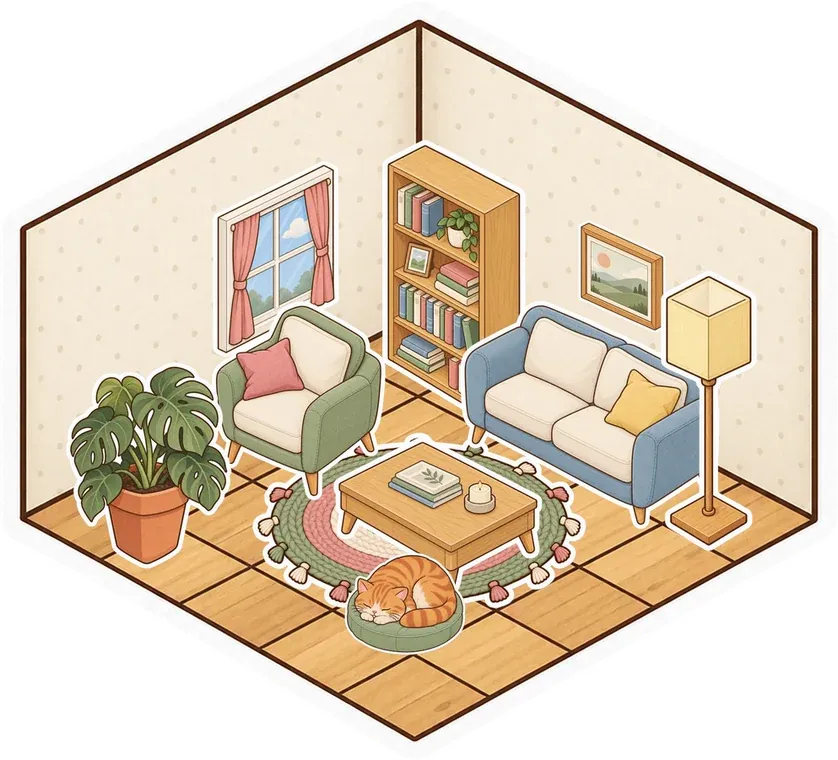
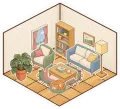 Cozy bedroom
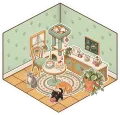 Cat café
 Tea room
 Parlour
 Kawaii
 Modern
Can you try Kosmi without signing up?
We tried creating a Kosmi room in a fresh Chrome session. The Create Room dialog required an account and said invited friends could join without signing up. We stopped there.[2][1]
Kosmi's marketing pages say no sign up is needed; in the app itself, the Create Room dialog asks the person creating the room to sign in.[1][2]
We could open Premium without signing in. It listed $7.99 USD billed monthly or $59.99 USD billed yearly, with unlimited virtual browsing and higher screen sharing resolutions. Kosmi's guide lists free screen sharing up to 720p. We did not buy Premium or measure a browser session limit.[2][3]
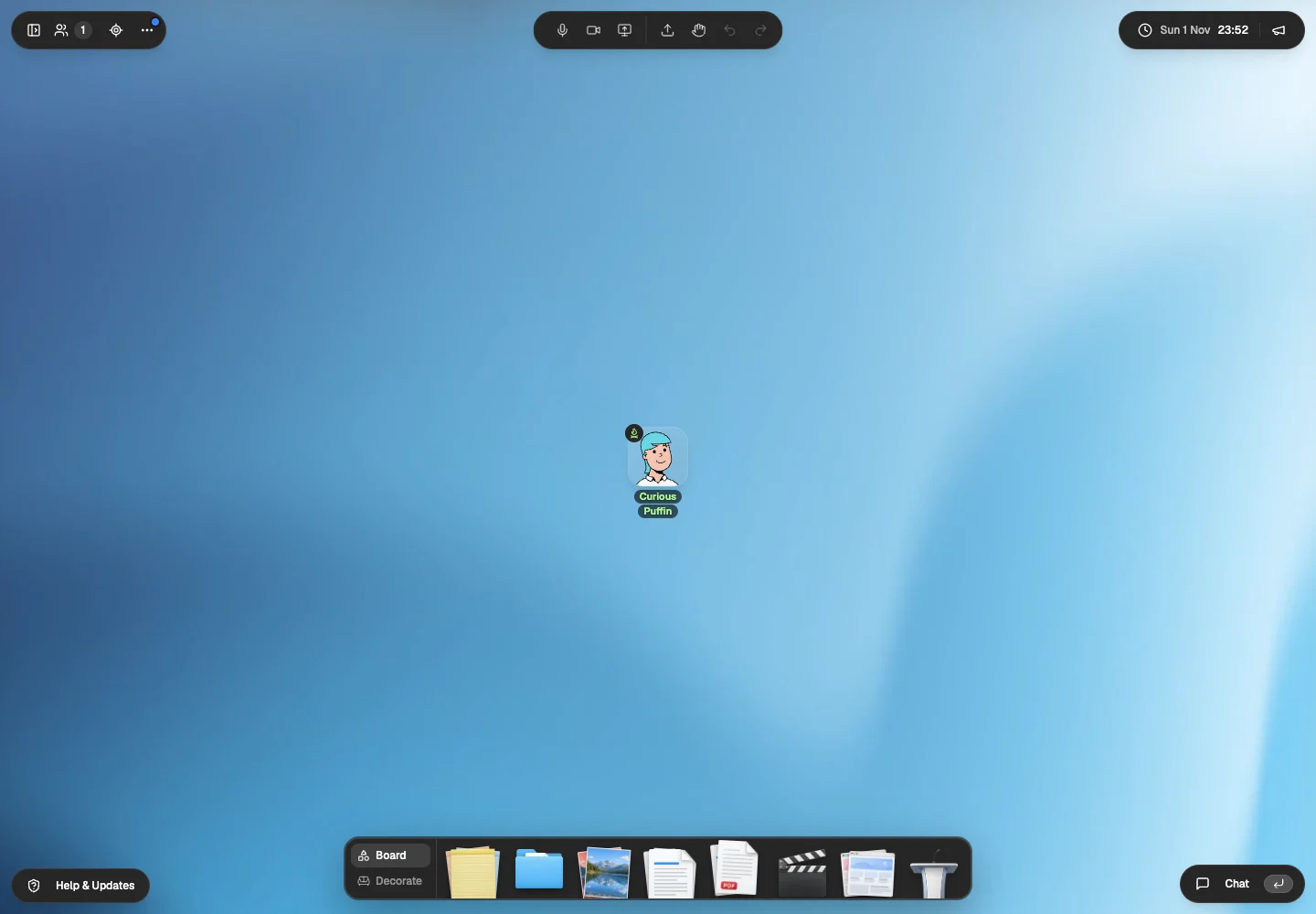
Glint's guest trial opened a room without an account. We saw an avatar and tools for decorating and adding material. You can explore the room before signing up.[7]
What does Glint add around the call?
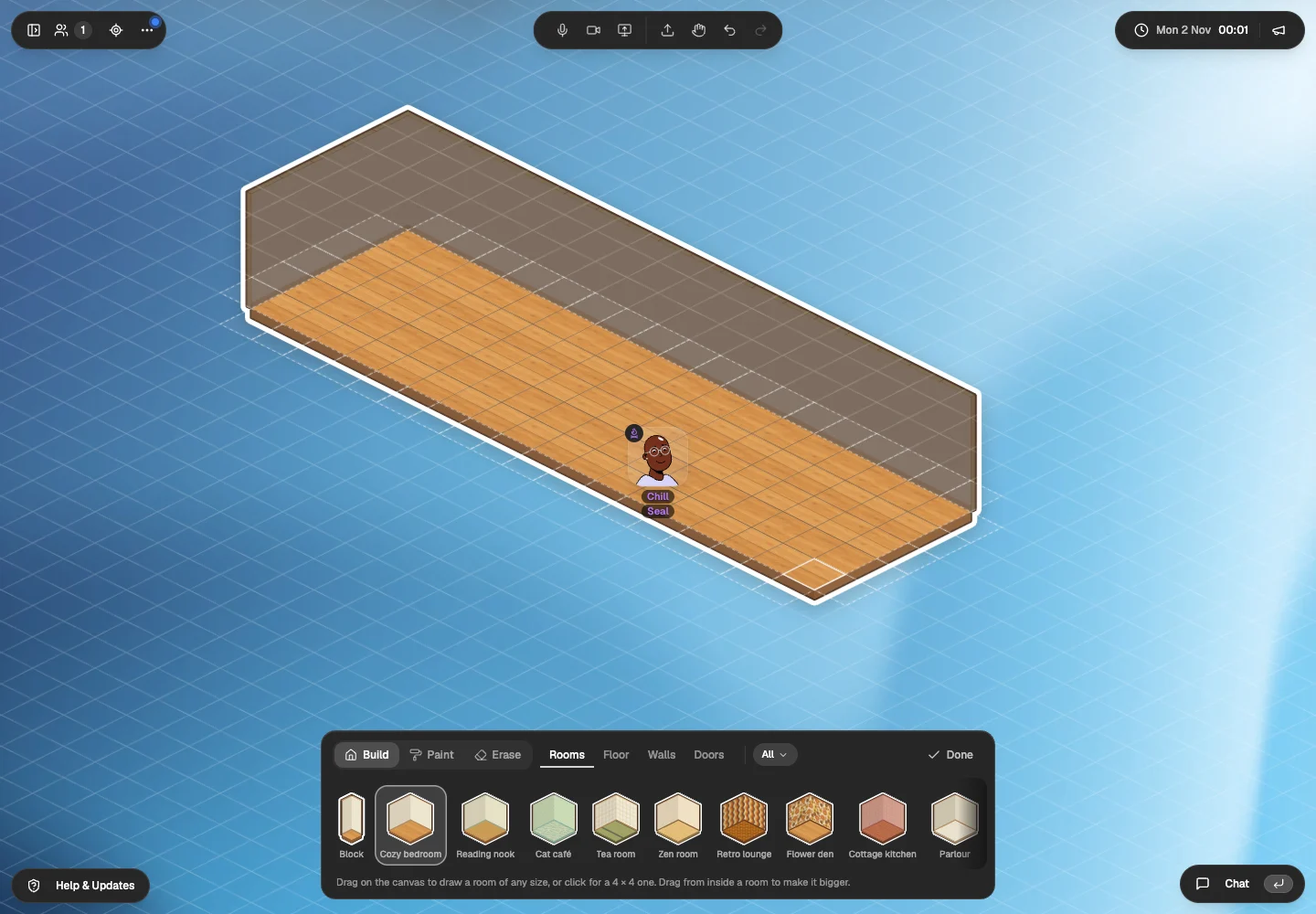
Furnishing is an activity in Glint. Use the room builder and illustrated stickers to add a café table, move a plant or leave a picture beside a note. The canvas holds documents, files and folders near the conversation.[8][10]
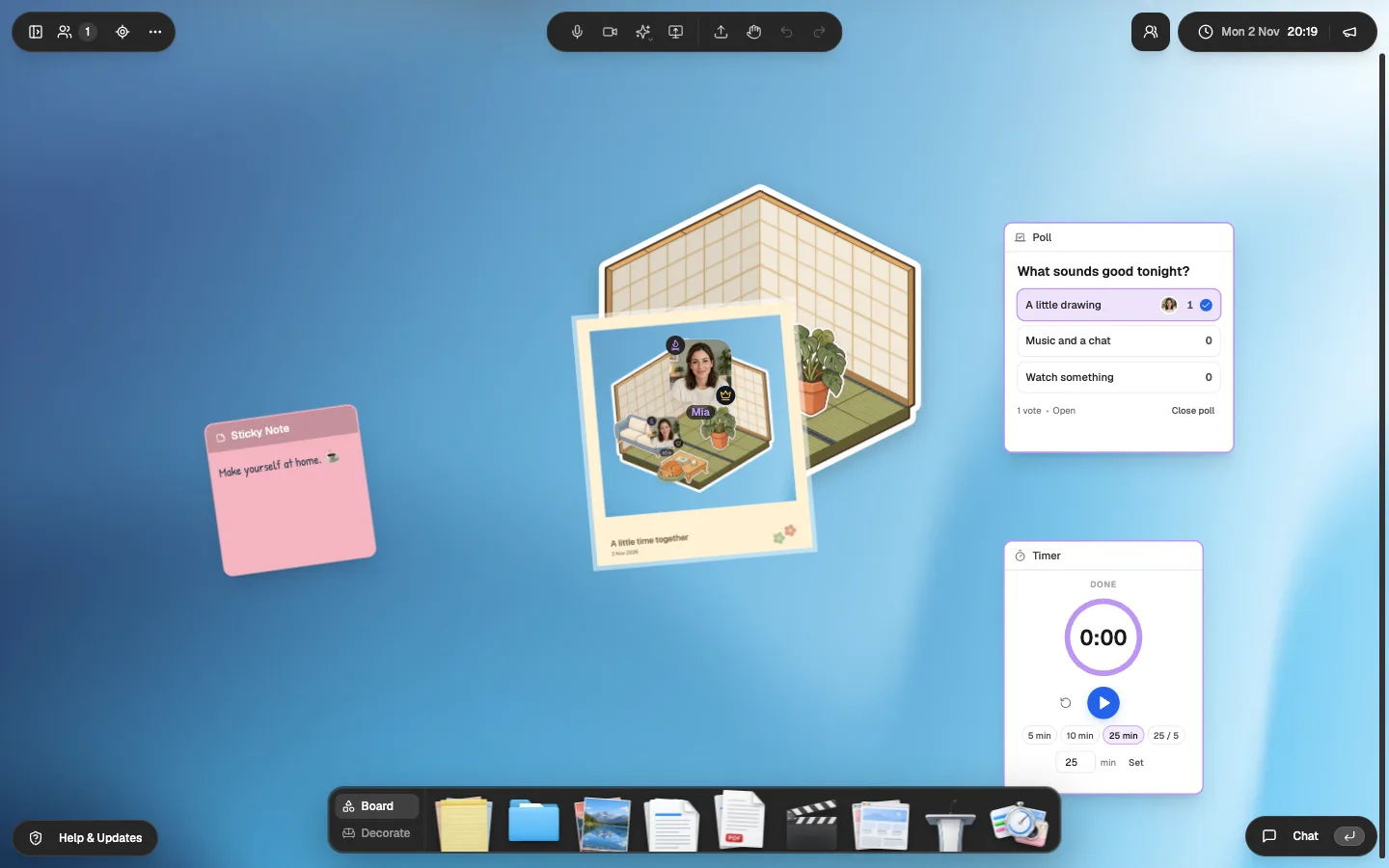
Glint has friends, online presence, DMs and events with RSVP and reminders. Polls, a shared timer, the photo booth and face effects add small activities around the room. They do not replace Kosmi's multiplayer game catalogue.[12][4]
Glint has synchronized playback for a YouTube evening. Choose Kosmi when everyone needs to control the same remote browser. Embedding a website on Glint's canvas does not give you Kosmi's shared virtual browser.[9][3]
 Summer plans
 Moodboard
 open.spotify.com
 tickets.pdf
 Packing list
 Ideas

When is Kosmi the better pick?
Choose Kosmi when shared browsing or a game from its catalogue is central to the plan. Your group can move from watching to playing without finding a separate game site.[3][4][12]
Kosmi has published iPhone and Android apps. We checked the listings, without testing either app. Glint works in a phone browser. Its iPhone app is coming to the App Store and is not available there yet. If native phone access decides the choice, try Kosmi on your friends' devices.[5][6][13]
How do you try Glint with a Kosmi group?
Keep the evening simple
Choose one YouTube catch up or a decorating session for the first visit. Keep Kosmi for an activity that needs its shared browser or games.
Make a place to meet
Try a Glint room style, add illustrated stickers and put a note with the evening's plan on the canvas.
Share the room link
Invite a couple of friends as guests. There is no need to promise a complete Kosmi replacement before you have spent an evening in the room.
Glint has no importer. Bring your own material and rebuild the room. More context: How YouTube works in a Glint room. Guest invitations and room tools are described in our Glint sources.
Questions about Glint and Kosmi
Is Kosmi still free?
Kosmi has free core features and optional Premium. On November 2, 2026, Premium was $7.99 USD billed monthly or $59.99 USD billed yearly. Glint is free to use, with optional sticker packs.[1][2][11]
Do Kosmi guests need an account?
Kosmi's Create Room dialog says invited friends can join without signing up. The person creating the room needs an account. We verified that creator gate.[2]
How we checked this comparison
We tried the public entry routes in Chrome on November 1, 2026. A separate fact check revisited the official pages and entry routes on November 2. We did not create competitor accounts or log in.
Our Glint images show the guest trial, a room we built on November 2 and separate release captures with test accounts. We did not test physical phones or compare call quality.
- Kosmi product pageRooms, customization, calling, browser access and optional Premium. Checked November 2, 2026.
- Kosmi app and Premium modalWe opened Create Room and Subscribe without an account. Our November 2 fact check also checked both billing settings. No purchase or account creation. Checked November 2, 2026.
- Kosmi screen sharing guideFree resolution, Premium and shared virtual browsing. Documentation, not playback testing. Checked November 2, 2026.
- Kosmi gamesOfficial game catalogue. Checked November 2, 2026.
- Kosmi on the App StoreLinked from the app. Listing checked; native app not tested. Checked November 2, 2026.
- Kosmi on Google PlayLinked Android listing. Native app not tested. Checked November 2, 2026.
- Our Glint guest trialWe entered without an account on November 1, then opened the room builder on November 2. The screenshots below record the avatar and Board tools we inspected. Checked November 2, 2026.
- Glint room builder and illustrated stickersOur public room builder guide and guest room capture. The sticker album is also described at /features/digital-stickers. Checked November 2, 2026.
- Glint synchronized YouTubeOur public product guide describes synchronized YouTube. We did not measure playback across two guest devices in this comparison. Checked November 2, 2026.
- Glint folders and filesOur public files guide. The guest visit showed Folder, Document, PDF and upload controls. Checked November 2, 2026.
- Glint terms and free accessFree room creation, invitations, chat and calling, with optional sticker packs. Checked November 2, 2026.
- Glint friends, events and room toysWe make Glint. Friends, online presence, DMs, events with RSVP and reminders, polls, a shared timer, a photo booth and face effects are part of our November 2026 release. Friends, DMs and events need a Glint account. The captures on this page come from our release check. Checked November 2, 2026.
- Glint browser access and iPhone statusGlint works in phone browsers. The iPhone app is coming to the App Store and is not available there yet. We did not test a physical phone for this comparison. Checked November 2, 2026.

Make a little place for your people.
Open the guest room. Build a corner and see whether you want to return.
Try Glint with no accountFree to use. Optional sticker packs.